 EXEC PROTECTION
Every detail.
Every agent.
One command platform.
Exec Protection Ops is the operations backbone for executive protection firms — operations command center, CPO personnel, client and company records, mission briefs, area intelligence, expenses, and after-action reporting built around how details actually run.
[operations] Executive Detail — NYC ACTIVE · Corporate Event Security ACTIVE · VIP Transport — LAX PLANNING
[agents] 24 CPOs on roster · 12 pending reports · advance teams staged
[briefs] Mission Brief Generator — itinerary · principals · area intel attached
[expense] detail expenses logged · receipts reconciled clean
ep@command:~$ aar generate --operation "Executive Detail — NYC" # after-action, one command
Built for the detail.
Twelve systems covering the full EP operation — from intake and advance work to the final after-action report.
Operations Command Center
Track every detail by status — Active, Planning, Standby, Completed — with type, client, and lead agent on one table.
Operations Calendar
Gantt-style calendar of upcoming details across the firm, color-coded by operation state.
Mission Brief Generator
Assemble itineraries, principals, and area intelligence into a deployable mission brief.
Area Intelligence
Route, venue, and area intel reports feeding directly into advance work.
CPO Personnel Management
Close protection officers, certifications, assignments, and availability on one roster.
Agent Dashboard
Each agent's assignments, documents, and reports in a personal command view.
Client & Company Records
Principals, client companies, and corporate accounts with their own dashboards.
Security Request Intake
Structured intake for new protection requests, triaged into the ops pipeline.
Expenses & Reconciliation
Detail expenses, receipts, and expense reporting reconciled per operation.
Documents & Acknowledgments
Controlled document library with per-agent acknowledgment tracking.
After-Action & Final Reports
AAR, asset inventory, area intel, and final report templates — generated from live operation data.
Audit Log & User Control
Role-based access and a full audit trail — every sensitive action accounted for.
Inside the command center.
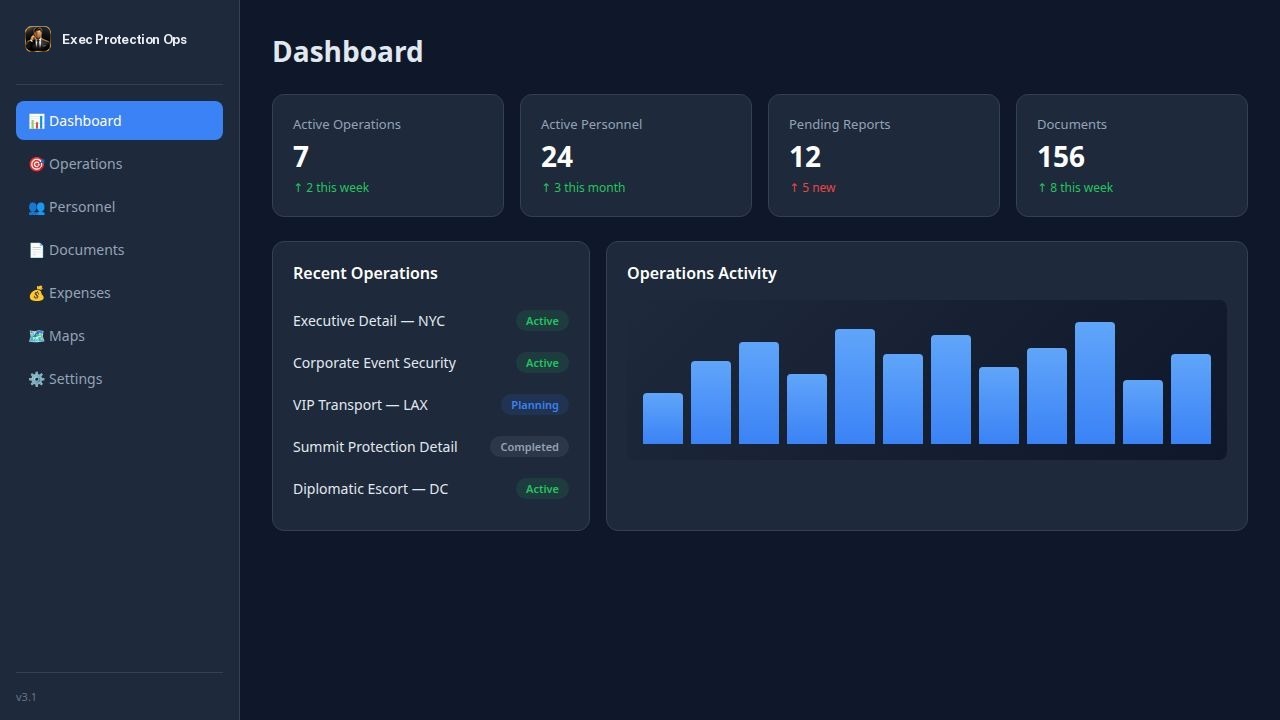
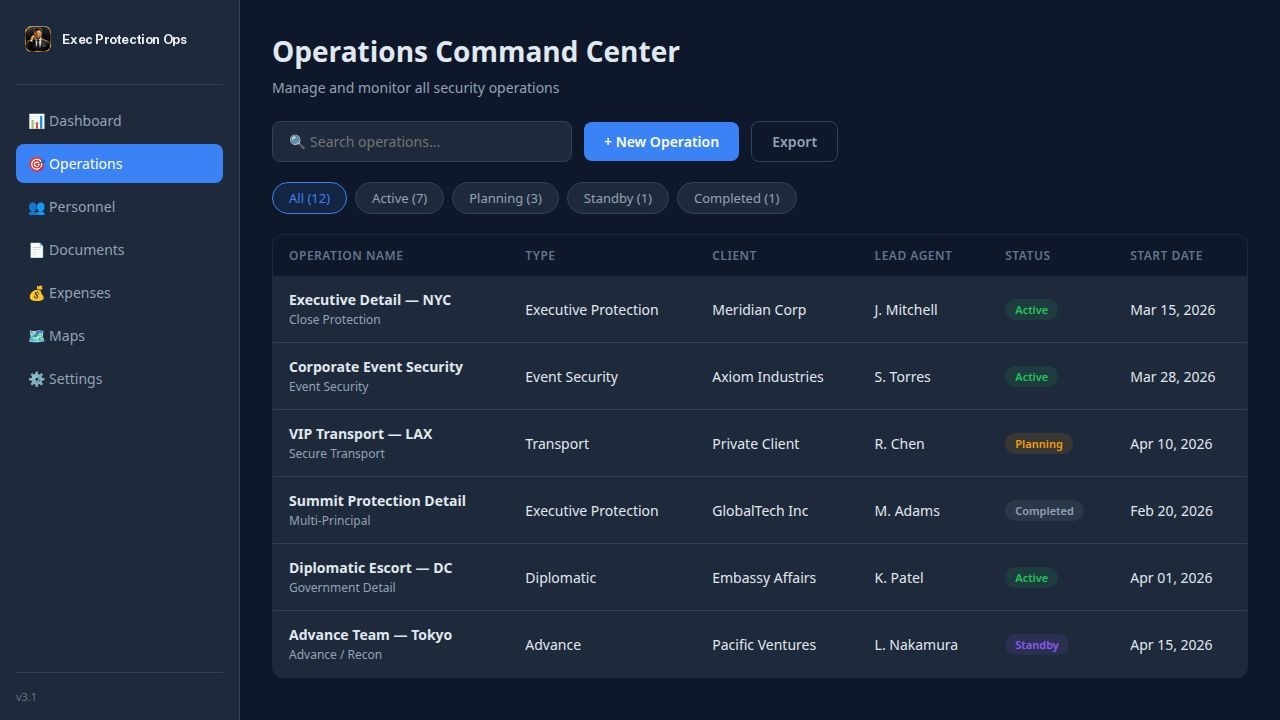
Intake. Advance.
Execute. Account.
Request to operation
Security requests enter structured intake, get triaged, and become operations with type, client, and lead agent assigned.
Plan and brief
Area intelligence and route reports feed the Mission Brief Generator. Agents receive the brief with document acknowledgments tracked.
Run the detail
The command center tracks status live. Agents log expenses and reports from their dashboard while the detail runs.
Close it out
After-action and final reports generate from live operation data. Expenses reconcile. The audit log has every step.
Detail-grade pricing.
Hosted on our infrastructure or self-hosted inside your firm's network.
- 1 agent · basic operations
- Client records
- Document library
- Community support
- Unlimited operations & agents
- Full 12-system suite
- Mission Brief Generator
- Expenses & after-action reports
- Priority support
- Everything in Firm
- Docker + PostgreSQL on your infra
- Client data never leaves your control
- Annual option: TBD
- Deployment assistance