Software for the people who run the operation.

Howard TechWorks designs and ships purpose-built platforms for drone operators, security firms, contractors and public works departments. AI speeds up the engineering. People stay responsible for it.

Six systems, built in-house

Drone Data Command

Every flight, file and deliverable in one command center.

Drone Data Command runs the business side of a drone services company: projects and clients, high-volume media, orthomosaics and 3D models, secure delivery to customers, flight telemetry and the fleet that flew it.

2,648flights logged
230.1flight hours
8,647media files managed
18aircraft in the fleet

Figures from a single production DDC workspace, across 849 flight locations.

Drone Data Command dashboard with recent projects and a map of project locations Projects grid showing aerial thumbnails of active construction sites Media vault with date-organized folders of aerial photos FlightOps map of flight locations across the United States with fleet statistics Equipment inventory of aircraft, batteries and controllers
DashboardProjects, clients, media and storage at a glance, with every job site on the map.

Media at volume

Upload and organize thousands of captures per project without a file server or a shared drive.

Orthos and 3D deliverables

Orthomosaics and 3D models live beside the raw imagery they came from.

Secure client delivery

Customers get their deliverables through controlled sharing, not email attachments.

Flight telemetry

Pair a device, ingest logs, and see every flight on a map with hours and distance.

Fleet records

Every aircraft, battery and controller, with the flights each one has flown.

White-label ready

Runs under the operator's own brand, so clients see their drone company, not ours.

The rest of the portfolio

Built around how the work actually happens.

Each system starts with a real operation: who does the work, what they need to see, what must stay controlled, and what goes wrong on a bad day.

Security and protective operations 2 systems
Executive Protection Ops operations command center listing details by status

Executive Protection Ops

Command platform for EP firms

The operations backbone for executive protection: every detail, every agent and every report, from the first request to the after-action.

  • Command center tracks each detail as planning, active, standby or completed
  • Mission brief generator assembles itineraries, principals and area intel
  • After-action and final reports generated from live operation data
Explore Executive Protection Ops

Security Ops

Guard workforce operations

Runs contract guard operations from post to payroll: scheduling, timekeeping, approvals, operational reports and confidential HR complaints.

  • Clock-ins checked on the server against the site geofence and GPS accuracy
  • Schedule up to 500 guards in one pass, with overlapping shifts rejected
  • Approved time exports to QuickBooks, and nothing flows back in
Explore Security Ops
Public infrastructure 1 system
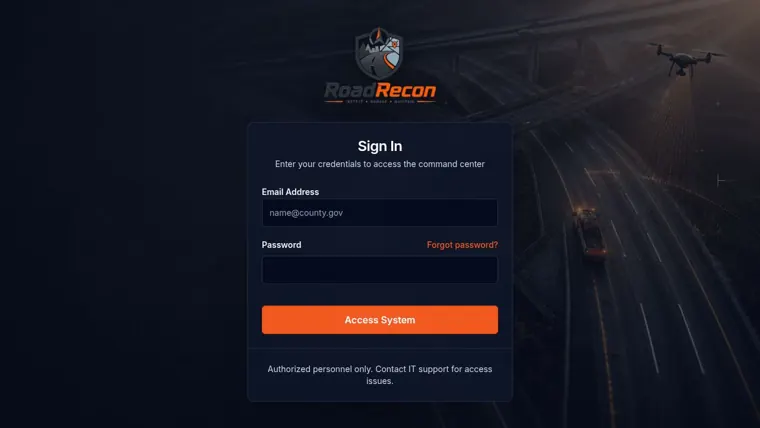
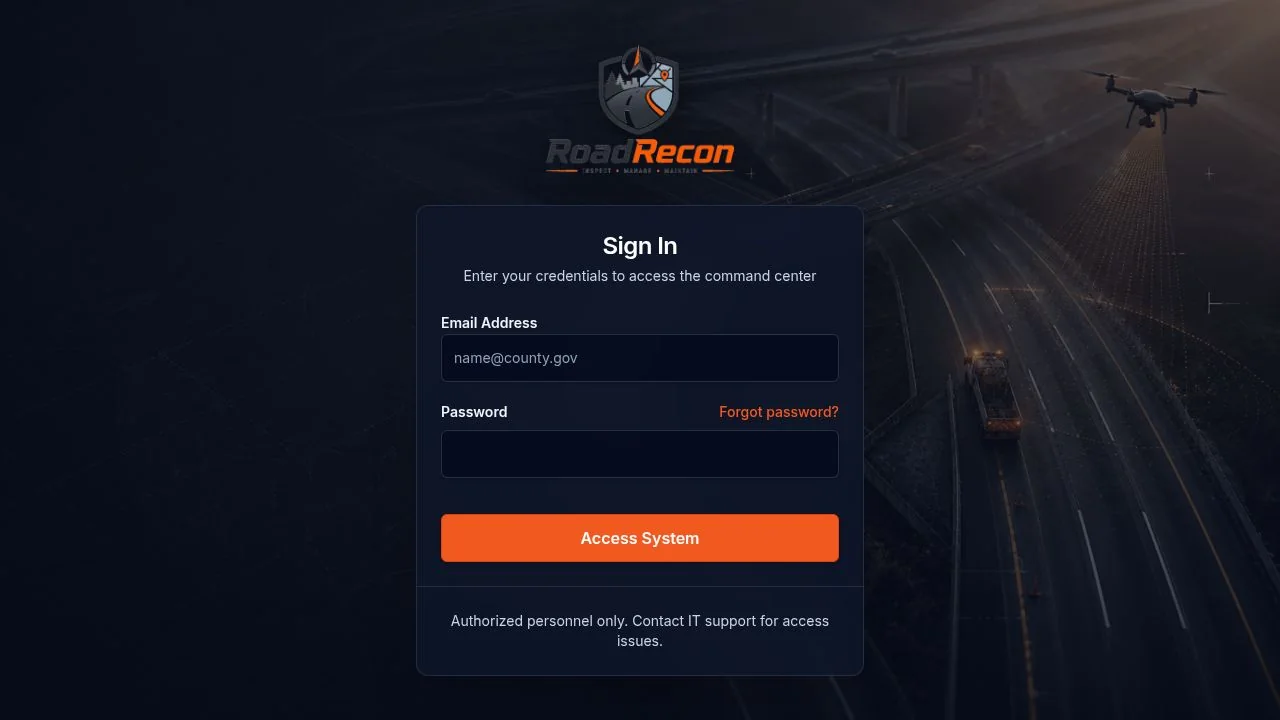
RoadRecon 360 sign-in screen over a drone view of a highway at dusk

RoadRecon 360

County road and pavement intelligence

Turns drone imagery into a living pavement map for public works: distress detection, road inventory, work orders and capital planning in one console.

  • AI flags 14+ pavement defect types, from potholes to alligator cracking
  • Every road segment on one map, colored by condition score
  • Defects become work orders, and work orders feed the capital plan
Explore RoadRecon 360
Construction and workforce 1 system

EUPALAM OS

Construction enterprise back office

A multi-tenant operating system for contractors with hundreds to thousands of workers: employees, subcontractors, jobs, equipment, timesheets, payroll and compliance.

  • 13 modules, each switched on per company through entitlements
  • Argon2id passwords, TOTP for privileged roles, AES-256-GCM for sensitive fields
  • Separate portals for employees and subcontractors, by design
Explore EUPALAM OS
Communication 1 system

Vybza

Immersive video meetings
Phase 1 prototype

Meet around a shared 3D campfire instead of a grid of tiles. Simple enough for a family call, built on infrastructure that can carry a company.

  • Each person sits at the fire as a character with their live webcam as its face
  • Avatars turn toward whoever is speaking
  • Runs in the browser on LiveKit audio and video, with nothing to install
Explore Vybza
How we build

AI-assisted. Human-directed. Production-minded.

AI tools let a small team move like a large one. They don't decide the architecture, define the security boundaries, or sign off on what ships.

  1. Understand

    Map the users, workflows, permissions, data and failure cases, and agree on what success looks like.

  2. Design

    Choose the architecture, tenancy, storage, integrations, security controls and deployment path.

  3. Build

    Use AI to accelerate coding, refactoring, tests and documentation, under engineering direction.

  4. Verify

    Run the builds and tests, exercise real user flows, check permissions, read the logs, then ship.

Where AI earns its keep

Speed and breadth across the codebase.

  • Large-codebase navigation
  • Implementation scaffolding
  • Refactors across many files
  • Test and edge-case generation
  • Log and stack-trace analysis
  • Documentation
  • API research
  • Fast UI iteration

What stays with people

Judgment, context and accountability.

  • Understanding the operation
  • Architecture decisions
  • Security and privacy tradeoffs
  • Permission and tenancy boundaries
  • Migration and recovery plans
  • Deployment risk
  • Product priorities
  • Final acceptance

Read how we use AI in development

AI changes how fast the software gets built. It doesn't change who is responsible for the architecture, the security, and what ships.

Running the operation on spreadsheets and group texts?

Tell us how the work happens today. We'll show you what a system built around it would look like, and what it would take to get there.

What happens next

  1. A short call about your operation and where it hurts
  2. A written outline of the system, scope and timeline
  3. A working first version you can put in front of your team
Email Howard TechWorks

or write to info@howard-techworks.com